
Personal Library in Cloud Store
Why This Matters
Your tenant may have dozens of agents and prompts available. Your personal library is your shortlist — the handful you actually use — without having to search every time.
Personal Library
Save your most-used agents and prompts to a personal library for quick access.
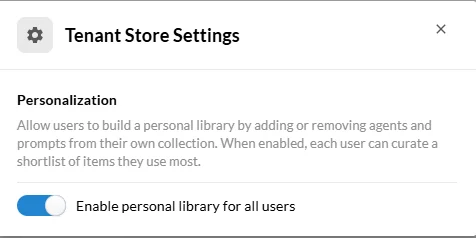
Before you begin: Personal libraries are only available when your Tenant Admin has enabled the personalization setting for your tenant. If you don't see this option, contact your admin.
Add an item to your personal library
Open the Cloud Store and browse items available in your tenant.
Select the item you want to save.
Click Add to Personal Library.
View and manage your personal library
Open the Cloud Store and navigate to your personal library.
To remove an item, select it and click Remove from Library.
Items removed from the tenant by your admin will appear by their last-known name but will be unavailable for use until re-added.