
AI Personalization: Memories
Why This Matters
Every new GARY conversation previously started from zero — role, preferences, program context, all of it had to be re-established each time. Memories lets you tell GARY once and have it carry that forward. The more GARY knows about how you work, the faster it gets you to a useful answer.
What Memories Does
A memory is a specific fact GARY stores about you from a conversation. When you start a future conversation, GARY applies your stored memories automatically — without you having to re-explain your context.
Examples of what GARY might remember:
Your role and the program area you support
The level of detail you prefer in summaries
That you want outputs formatted as bullet points, not paragraphs
Recurring context about your portfolio or team structure
Memories are personal — they are tied to your account and not visible to other users.
Enable Memories
Memories must be enabled before GARY will save or use them. This is a feature your tenant administrator must first make available.
Once available:
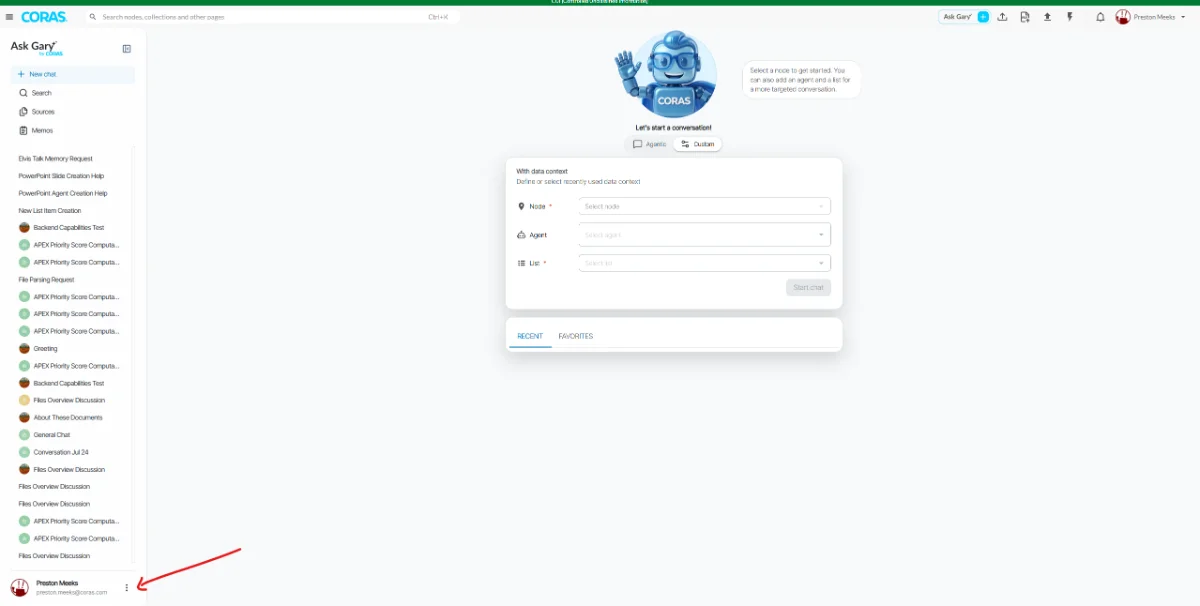
In the GARY sidebar, click the three dots (⋮) in the bottom left next to your name.
Select Settings.
Select the Personal tab.
Toggle Generate memory from chat interactions on (top right of the page).
After enabling, refresh the page. Your memories list will appear once GARY has saved at least one memory.
Save a Memory
GARY does not capture memories automatically. You have to explicitly ask it to remember something.
In any GARY conversation, tell GARY what to remember:
"Remember that I'm the budget analyst for Program X." "Remember that I prefer bullet points over paragraphs." "Remember that I always want sources cited."
GARY confirms when a memory is saved. Saved memories appear in your Memories list after you refresh.
View & Manage Your Memories
Memories must be enabled before GARY will save or use them. This is a feature your tenant administrator must first make available.
Click the three dots (⋮) in the bottom left of the GARY sidebar.
Select Settings.
Select the Personal tab.
Your memories are listed with a title, the content GARY stored, and the date saved.

From here you can:
View all stored memories
Edit a memory to correct or update it
Delete individual memories you no longer want GARY to use
Clear all to reset your memory store
What Memories Are Not
Memories are not conversation history. GARY doesn't replay past chats — it applies the specific facts you asked it to retain.
Memories do not override your data context. GARY still only works from authorized data in your tenant.
Memories are not visible to your admin or other users.
FAQ
Does GARY remember everything I say?
No. GARY is selective — it captures information that provides useful context for future conversations, not a transcript of everything said.
Can my admin see my memories?
No. Memories are personal to your account.
What if GARY remembers something incorrectly?
Go to the Memories page, open the Personal tab, and delete or edit the inaccurate memory.
Related articles
AI Skills — configure skill-based guidance for specific task types