
Agents and Prompts
GARY's power comes from its architecture: a library of over 130 specialized AI agents, each backed by more than 1,300 validated, composable prompts. Agents function as digital teammates aligned to specific mission roles — a BFM Agent for funding tradeoffs, a Contracting Agent for acquisition documents, a Data Scientist Agent for trend analysis, a Reporting Agent for dashboards and briefs. Understanding how agents and prompts work together helps you select the right agent for your task and craft prompts that produce consistent, mission-aligned outputs.
Why This Matters
Generic AI tools give everyone the same answer to the same question. GARY gives the right answer for your role, your data, and your mission context — because the agent shapes the response before it reaches you.
Every GARY answer is traceable. You can see what data it used, what assumptions it made, and why it answered the way it did. That matters when you're briefing leadership or defending a funding decision.
The Building Blocks
Gary has access to two useful components that help tune his responses to your specific needs: prompts and agents. Each plays a different role.
You can think of the system like this:
GARY is the Commander — understands intent, sets direction, and orchestrates execution
Agents are the Action Officers — each responsible for executing a specific type of work
Prompts are the Tasking Orders — define the objective, constraints, and what "done" looks like
This coordination is called orchestration — the same way a commander directs action officers who each own a specific lane of work.
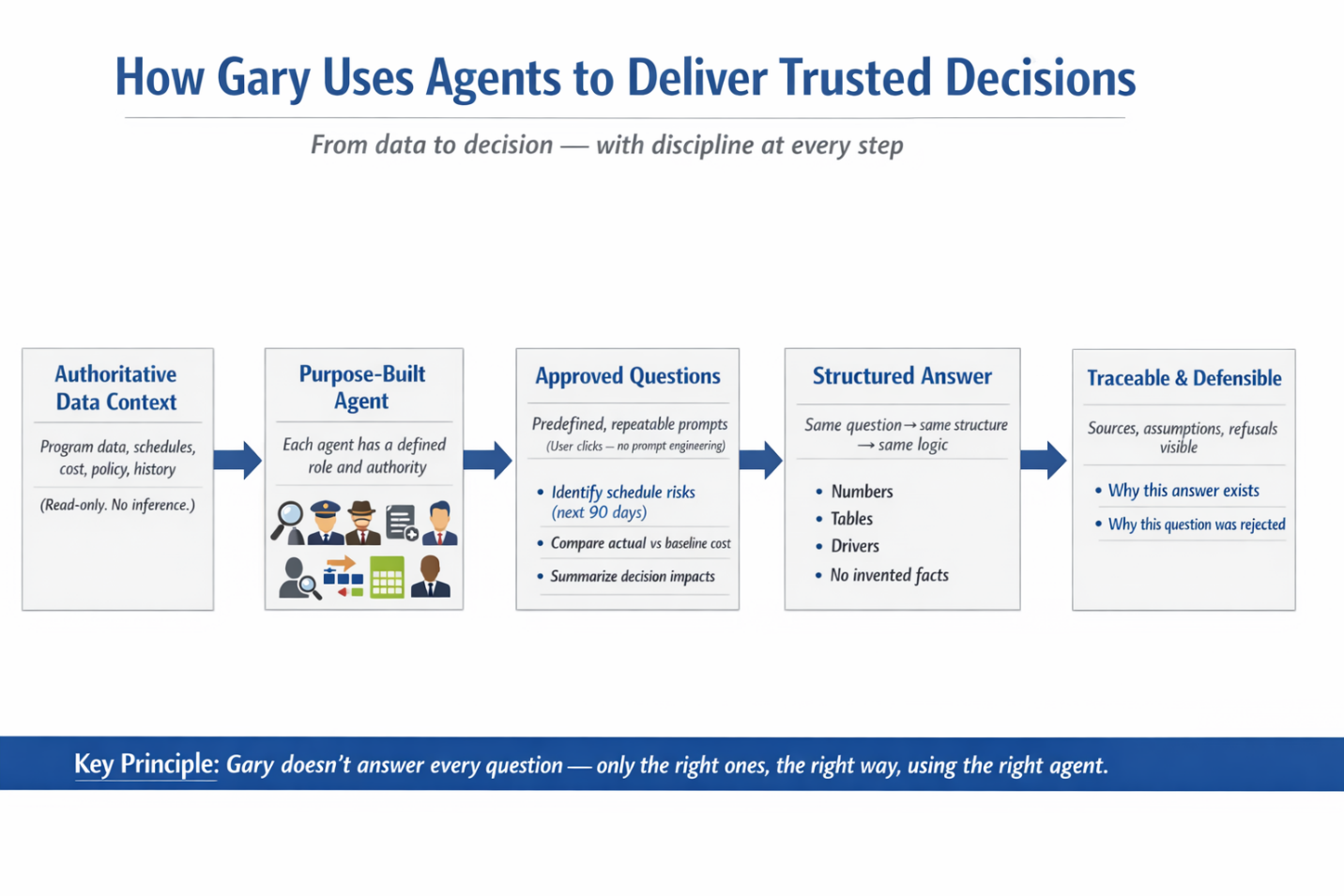
How Gary Delivers a Trusted Answer
Every response GARY produces follows the same disciplined path:
Authoritative Data Context — GARY works only from your program data, schedules, cost, policy, and history inside CORAS. Read-only. No inference from outside sources.
Purpose-Built Agent — Each agent has a defined role and authority. GARY routes the task to the agent built for that type of work.
Approved Questions — Predefined, repeatable prompts that users click to run — no prompt engineering required. The same question always follows the same structure and the same logic.
Structured Answer — Outputs are consistent and predictable: numbers, tables, drivers, and key findings. No invented facts.
Traceable and Defensible — Every answer includes sources, assumptions, and where applicable, why a question was refused. GARY shows its work.
If Gary's answer isn't what you expected, check: (1) which agent is active, (2) what list you're scoped to, (3) how specific your prompt was.
What is an Agent?
An agent is an action officer assigned to a specific type of work. Each agent has a defined role, a focus area, and a set of rules it follows when GARY executes a task.
Agents set:
Tone and level of detail
Area of focus (analysis, acquisition, briefing, etc.)
Rules and guardrails (what to prioritize, what to avoid)
Agents do not define the task itself. They do not decide what question to answer.
Choosing an agent is like choosing which action officer you are assigning the task to. The right specialist for the job produces better results than a generalist every time.
Common Agent Examples
BFM Agent — funding tradeoffs, budget analysis, POM support
Contracting Officer Agent — acquisition documents, SOW/PWS drafting, contract review
Data Scientist Agent — trend analysis, predictive modeling, what-if scenarios
Executive Briefing Agent — decision-ready summaries, leadership briefs, formatted outputs
For the full list of available agents, see the Gallery of Agents.
You can also start a new conversation directly from an agent card in the agent library. Click the agent, then select Start New Conversation. This opens a fresh Gary chat with that agent already selected and its Quick Prompts loaded — you don't need to navigate to Gary first.
What is a Prompt?
A prompt defines what you want GARY to do.
Think of a prompt as a tasking order - the clearer the instruction, the better the output.
A well-structured prompt tells GARY:
The objective - what you want accomplished
The context or inputs to use - what data or inputs to use
Any constraints - limitations, assumptions, or rules to apply
The format - how you want the output delivered (bullets, table, summary, memo, etc.)
The clearer the prompt, the better the result.
Changing the prompt changes the task and the outcome. Two different prompts to the same agent will produce two different results.
The Prompt Library
You can interact with GARY in two ways:
Ask Gary to do something directly using your own words, or
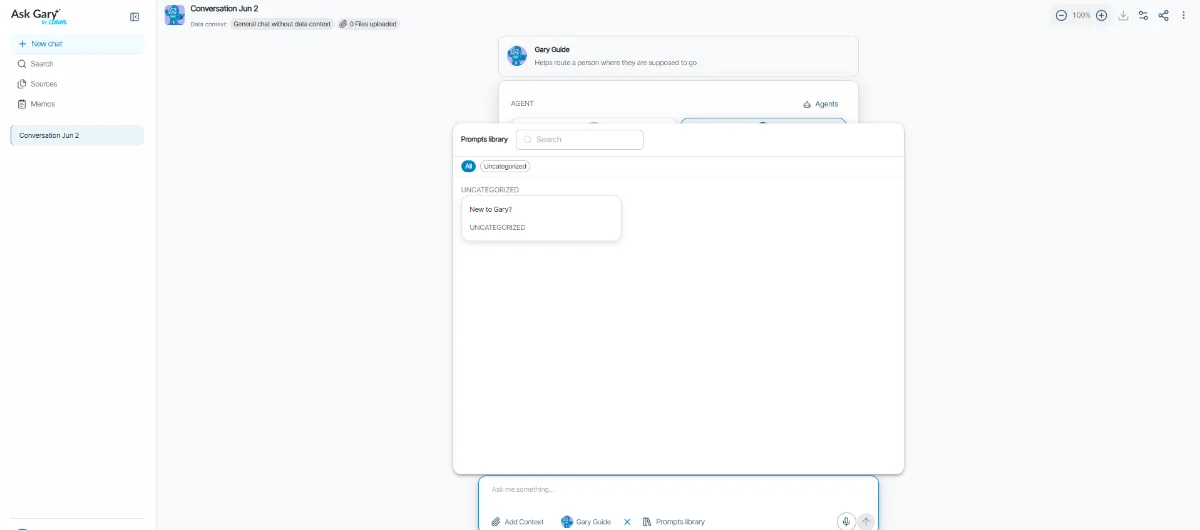
Use an approved prompt from the Prompt Library
The Prompt Library contains prompts that have been tested and approved to ensure GARY delivers the intended output. Some are simple single-step instructions. Others guide GARY through a multi-step workflow — gathering data, applying constraints, running analysis, and formatting results for decision use.
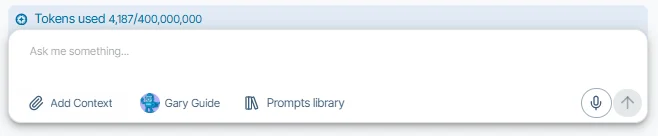
Using an approved prompt helps ensure:
Consistent, repeatable results
Proper use of approved data and rules
Results that meet mission and policy expectations
You can run approved prompts as provided or use them as a starting point when building your own.
Some prompts guide GARY through multiple steps, such as:
Gathering and checking data
Applying rules or constraints
Running analysis or comparisons
Formatting results for decision use
Because these prompts can include detailed instructions, they help ensure results are consistent, repeatable, and aligned with mission needs.
Users can run approved prompts as provided, or use them as a starting point when creating new tasking orders.
Prompt Examples
"Identify programs under-executing this quarter."
"Run a what-if scenario on a 10% budget reduction."
"Compare Option A and Option B, note tradeoffs, and present a recommendation."
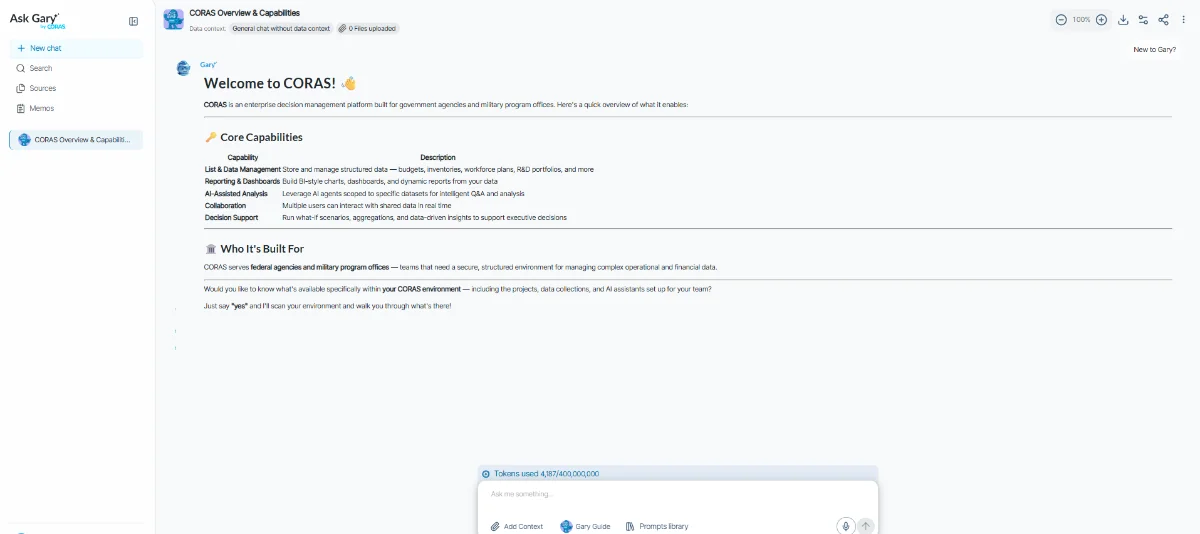
Add to the Prompt Library as an Admin
To create reusable prompts for GARY:
Go to AI Settings in the top-right dropdown menu.
In the left-hand panel, select Prompt Library.
Click Add Item in the top-right corner.
Enter a Title (this is what users will see), select a Category, and write the full descriptive prompt in the textbox — this is the instruction GARY will use.
This allows admins to guide user inputs, tailor prompts to mission context, and improve consistency across teams.
Smart Prompts
When you open a GARY conversation, Quick Prompts appear at the bottom of the chat window — a curated set of starting points your administrator has configured for your workflow. You can pin up to six of your most-used prompts so they always appear first, and prompts can be organized into categories so the full library stays navigable as it grows. If your agent has a Kick-off Prompt configured, it pre-populates the composer automatically when the conversation opens — GARY is already primed before you type a word. For full details on how Smart Prompts work and how administrators configure them, see Smart Prompts.
START A CONVERSATION DIRECTLY FROM AN AGENT
You don't need to open GARY first to start a conversation with a specific agent. From the agent library, click the agent you want to use and select Start New Conversation. GARY opens with that agent already active and its Quick Prompts loaded — no manual agent selection required.
This is the fastest path when you know which agent you need. Use the GARY entry point when you want to browse or compare agents before committing.
KICK-OFF PROMPTS
A Smart Agent can have one Kick-off Prompt — the prompt that starts the conversation when you open a chat with that agent.
Unlocked kick-off prompt: The prompt text is loaded into the composer automatically. You can read and edit it before sending.
Locked kick-off prompt: Only the prompt's title appears in the composer. You can add your own text. On send, your text and the prompt's hidden content are combined and sent to Gary together. You never see the locked content. A note in the composer reads: "Some inputs are managed by the agent and not editable."
If the referenced item is missing: If the Kick-off Prompt references a list or item that no longer exists, Gary tells you it's unavailable. You can still submit — the rest of the conversation works normally.
AI Configs and Agents
Agents can be linked to an AI Config, which controls the underlying model, temperature, and behavior settings GARY uses when that agent is active. When an AI Config is linked, GARY applies those settings automatically for every conversation started with that agent — no manual configuration required per session.
Admins configure this in AI Settings > Agents. See Manage Agents for setup steps.
The prompts and agents available to you in GARY are configured by your administrator through AI Settings. What you see in your Prompt Library and agent selection reflects what your admin has set up for your organization — curated for your team's workflows and mission area. If you need additional prompts or agents, contact your Customer Success Manager or CORAS administrator.
If Gary's answer isn't what you expected
Before restarting the conversation, check three things:
Which agent is active — a general agent produces general answers. Switch to the specialist for your task.
What list you're scoped to — Gary only works from the data context you set. If the list doesn't have the records you're asking about, Gary can't surface them.
How specific your prompt is — "summarize this program" produces a different result than "summarize TRL status and funding alignment for Q2." The more specific the task, the more useful the output.
For more guidance on writing your own prompts, see Get More from Gary: Prompt Engineering Guide.